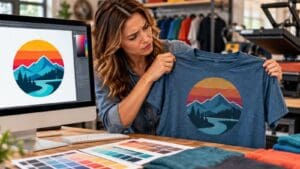
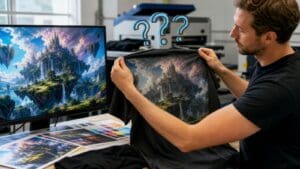
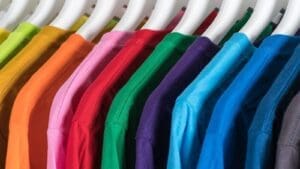
A logo can look perfect on a computer screen but appear darker, duller, or less vibrant when printed on a shirt. Getting brand colors on shirts right can be challenging because digital colors do not always translate to fabric as they appear on a phone or monitor.
Screens display light, while printing relies on physical materials. The garment, printing method, and artwork all affect the finished result. Understanding these factors helps businesses set realistic expectations when ordering custom apparel.
Screen Colors and Printed Results
Screens use light to display colors, while printed shirts rely on inks, pigments, or other materials. Because these systems reproduce color differently, a bright digital shade may not look the same on fabric.
Highly saturated colors, including bright blues, greens, and oranges, may lose some intensity during printing. Screen brightness and settings can also affect how a logo appears, making digital previews an imperfect reference.
To communicate the intended colors, provide the printer with:
- The original logo or artwork file
- Brand color specifications, if available
- Pantone references, if applicable
- Details about previously approved prints
These references help establish the target color but cannot guarantee an exact match. The garment and printing process also influence the result.
Shirt Colors and Brand Color Accuracy
The garment affects how brand colors on shirts appear. A logo printed on white cotton may look different on cream, gray, or black fabric.
For example, a yellow logo may stand out against black fabric but blend into a cream background. The surrounding color affects the logo’s visibility and perceived intensity.
Dark garments may also require a white underbase beneath colored artwork to help the design stand out. Without suitable ink coverage, colors can appear less vibrant than expected.
Before choosing a garment, consider:
- Contrast: Make sure the logo stands out against the shirt.
- Fabric color: Check the actual garment shade rather than relying only on online product images.
- Material: Cotton and polyester can behave differently during printing.
- Design details: Thin lettering and subtle color variations may be harder to see against some backgrounds.
A design approved for a white shirt may need adjustments to remain clear on darker garments.
Printing Methods and Color Differences
Different printing methods produce different finishes and color results. The best option depends on the artwork, garment, and desired appearance.
Common methods include:
- Screen printing: Often suitable for bold graphics and larger orders. Ink selection and production setup affect the result.
- Direct-to-film (DTF) printing: Accommodates detailed, multicolored artwork but may produce a different surface finish from direct printing.
- Vinyl: Works well for simple lettering, numbers, and solid-color graphics. Available material colors determine the options.
- Embroidery: Uses thread instead of ink, so thread shades, stitch density, and texture influence the final appearance.
No method guarantees the closest color match in every situation. A multicolored logo with gradients may suit a full-color printing process, while a simple design may work well with solid-color vinyl or embroidery.
Ask the printer which method suits the artwork and whether the finished color or texture will differ from the digital preview.
Artwork Preparation for Better Color Accuracy
A digital mockup helps review logo placement and overall design, but it cannot fully represent a finished shirt. Some artwork may need adjustments before production, particularly when it includes gradients or fine details.
Before approving an order, check the following:
- Original artwork: Provide a vector file or suitable high-resolution image instead of a screenshot.
- Color references: Share brand specifications and identify the most important shades.
- Print placement: Review the design at its intended physical size.
- Production sample: Ask whether a physical sample is available when color accuracy is especially important.
Samples are useful for large uniform orders, repeat merchandise, and designs with distinctive brand colors. When available, they allow businesses to evaluate the actual print before approving the full order.
For repeat purchases, record the approved garment style, color, artwork version, and printing method. Keeping these details makes future orders easier to compare.
Troubleshooting Common Color Mismatches
Even with careful preparation, a printed shirt may not perfectly match the digital reference. Identify the specific difference before requesting changes.
Compare the shirt with the approved sample or production proof under consistent lighting. Different light sources can make colors appear warmer, cooler, brighter, or darker.
Use these checks to narrow down the problem:
- Colors appear too dark: Compare the print with the approved reference and consider the effect of the garment color.
- Colors look dull: Ask whether the printing method can reproduce the intended shade more closely.
- The logo blends into the shirt: Review the contrast and consider changing the garment color.
- Fine details are difficult to see: Check the print size and simplify elements that do not reproduce clearly.
When contacting the printer, describe the difference precisely. Explaining that the blue appears darker than the approved sample gives the printer a clearer starting point than saying the shirt looks wrong.
A color limitation may require a different printing approach. An unexpected difference from an approved production reference may warrant further investigation.
Maintain Consistent Brand Colors
Matching digital artwork to printed apparel requires more than selecting the correct color code. The garment, printing method, and viewing conditions all affect the finished design.
Keeping brand colors on shirts consistent starts with choosing the right garment, printing method, and color references. For businesses with strict branding requirements, a physical sample provides a more useful approval reference than a screen mockup alone.
Anytime Tees | Bring Your Custom Apparel Idea to Life
Whether you’re designing shirts for a school event, business promotion, sports team, fundraiser, or group trip, Anytime Tees makes the process simple from start to finish.
We offer high-quality custom t-shirt printing, bulk order discounts, fast turnaround times, and professional design support to ensure your apparel looks exactly how you imagined it.
From bold graphics to clean, minimalist logos, our team helps you choose the right shirts, printing method, and sizing options for your project.
Start your custom apparel order today and see why so many customers trust Anytime Tees for dependable quality and service.
Contact Anytime Tees now to get your custom quote and begin your design.